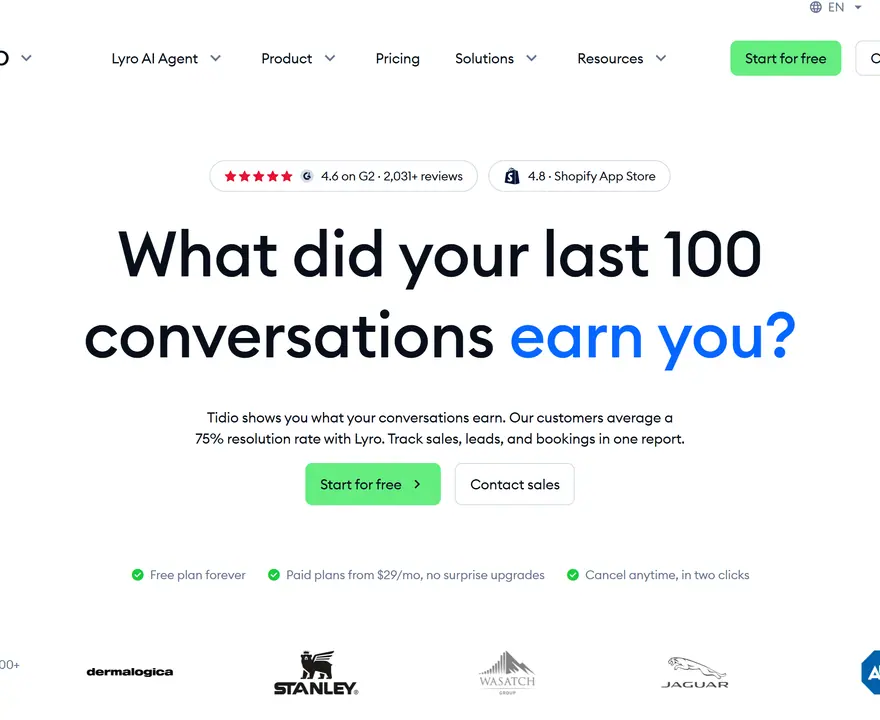
All prices here come from each company's own page, checked on 4 November 2026. They change often, so look again before you buy.
Before you choose, answer one question: who will reply to the chats? The tool is often the cheap part. Robert D'Assisi, who founded the free chat tool tawk.to, says the software bill isn't the biggest barrier to offering live chat:
"...it is the cost of staffing to answer chats 24×7 that is so prohibitive." Robert D'Assisi, founder of tawk.to
He also sells chat staff, so he has a stake in this. His sum still holds up, though. Paying someone $15 an hour to cover chat day and night comes to $131,400 a year. So decide first whether the replies come from you, your team or an AI. That choice narrows the list fast.
Pick by the job you need done
| What you need | Start with | Starting price |
|---|---|---|
| A bill that doesn't jump in busy months | Crisp | Free, then $45 a month |
| Free chat, and you'll answer it yourself | tawk.to | Free |
| Help with support messages for an online store | Gorgias | $10 a month for 50 tickets |
| Chat for a small team that replies all day | LiveChat | $25 per person a month |
| A full support desk with AI built in | Intercom | $39 per person a month, plus AI |
| One calm inbox, mostly email | Help Scout | Free for 5 users |
| Replies on Instagram or WhatsApp | Manychat | Free for 25 contacts |
| Chat that feeds your customer records | HubSpot | Free |
| An AI that does most of the talking | Chatbase | $40 a month |
| An AI that helps store visitors buy | Zipchat | $64 a month, billed yearly |
Each one, and who should skip it
Crisp: for a bill that stays put
Crisp charges one price for your whole team, however many chats you get. The free plan gives you website chat and a shared inbox for two people, with no AI. Mini costs $45 a month for four people and covers about 90 chats handled by AI. Essentials costs $95 for ten people and covers about 450.
Skip it if you expect the AI to handle thousands of chats. Chats with people are covered by that one price. The AI only gets a set amount of credit.
tawk.to: for free chat you answer yourself
tawk.to is free to use. It makes its money on extras: $29 a month to remove its branding, AI replies from $29 a month, and trained chat staff at $1 an hour.
Skip it if you want your own brand on everything and nobody on your team has time to reply. Those two wishes turn "free" into a paid plan.
Gorgias: for online stores with lots of support messages
Gorgias is built for online stores and connects to Shopify and BigCommerce. It charges by the number of tickets, and a ticket is one conversation with a customer. You don't pay per teammate, though the number of logins depends on your plan. Starter is $10 a month for 50 tickets, then 40 cents per extra ticket. Its AI costs about $1 for each chat it solves.
Skip it if you get very few messages. You'd be paying for a big system to answer the same three questions.
LiveChat: for a small team that replies all day
LiveChat, which its pricing page now calls Text, charges per person. Essential is $25 a month per person, or $19 if you pay yearly. That includes 10 chats finished by AI each month. Growth is $79 per person, billed yearly, with 200 AI chats. Extra AI chats cost $49.50 for 50.
Skip it if lots of part-time staff need a login. Each one adds to the bill.
Intercom: for a full support desk with AI built in
Intercom starts at $39 a person each month, or $29 if you pay yearly. New customers paying yearly can get 35% off that. Its AI, Fin, costs $0.99 each time it finishes a chat. It's a big tool, and a shop with a handful of chats a day may not use half of it. If you like the idea but not the price, an Intercom alternative may suit you better.
Help Scout: for teams that mostly use email
Help Scout has a free plan for five users with one inbox and one help site, and it covers 100 contacts a month. Paid plans start at $25 per user a month and list live chat, Instagram and WhatsApp. Its AI add-on costs $0.75 per chat it solves.
Skip it if website chat is the whole point. Other tools here are built around it.
Manychat: for customers who message you on social apps
Manychat is built around Instagram, WhatsApp, Messenger and TikTok. It's free for 25 people a month. After that, it's $14 a month for 250 people or $29 for 2,500, both billed yearly.
Skip it if your customers ask their questions on your website.
HubSpot: for chat tied to your customer records
HubSpot's live chat is free with its free customer database, and every chat is saved in one inbox there. It makes sense if you already use HubSpot. It's a lot to set up if all you wanted was a chat bubble.
Chatbase: for letting an AI do most of the talking
Chatbase starts at $40 a month for 700 message credits, or $32 if you pay yearly. Its inbox for your team comes with the $150 plan, and removing its name costs another $99 a month. Skip it if you want people and AI in one inbox on a small budget. If you've already tried it and want something else, start with a Chatbase alternative.
Zipchat: for an AI that helps store visitors buy
Zipchat is an AI built to sell and answer questions for online stores. Starter is $64 a month, billed yearly, for 750 replies. Zipchat says that's around 300 chats. Bigger plans give you more replies.
Skip it if most of your messages are about orders that have already shipped.
Do the sums on your own month
Tidio's bill can feel slippery because its pricing page has three separate counters:
- Chats your team answers. You get 50 free each month. Then it's $29 for 100, $59 for 250 and $179 for 1,000. A chat only counts once a person replies, so spam you ignore costs nothing.
- Chats the AI answers. Tidio's AI is called Lyro. You get 50 free chats once, not every month. Then it's $39 a month for 50, $210 for 300 and $525 for 750. That's about 70 to 80 cents a chat. A chat counts as soon as Lyro replies once.
- People reached by Flows. Flows are chat scripts you build yourself. You get 100 visitors free, then pay $29 a month for 2,000.
Removing Tidio's name costs another $20 a month. Paying yearly gets you two months free.
Now picture one busy month. Two people reply to 250 chats, and an AI handles another 300:
| Tool | What you'd buy | Cost that month |
|---|---|---|
| Tidio | 250 chats ($59) plus 300 Lyro chats ($210) | $269, or about $224 if you pay yearly |
| Crisp | Essentials, flat price | $95 |
| LiveChat | Two people on Growth, billed yearly, plus two packs of 50 AI chats | $257 |
| Intercom | Two people, billed yearly, plus 300 chats finished by AI | $355 |
Look closely at what gets counted. Tidio counts every chat Lyro replies in. Intercom and LiveChat only count chats their AI finishes. If the AI finishes just 200 of those 300, Intercom drops to $256 and LiveChat to $158, while Tidio stays the same.
So the cheapest tool can change with how good the AI is on your questions. That's why you test before you sign up.
Put your last three invoices next to this table and use your own numbers. You'll know the bill has got to you when a quiet Saturday in the inbox feels like good news. You opened a shop so people would talk to you, and now you're hoping they don't.
When to stay on Tidio
Moving tools takes real time, and Tidio does plenty well. Stay if:
- You're under 50 chats a month and answer them yourself. That costs you nothing.
- You run a Shopify store and it's working. It has 4.8 stars from 1,356 reviews on the Shopify App Store. Lyro can answer order status questions and suggest products that are in stock.
- Your bill is small and you only dislike it. Saving $20 a month won't pay for a day of rebuilding your setup.
If you've outgrown it, you'll know by the sums above. Tidio's own plans also stop at 10 people and 2,000 chats before you move to Plus, which starts at $300 a month plus what you use.
Are you solving support or sales?
Look at last month's chats. If most say "where's my order?", you have a support job, and Gorgias, Crisp or Tidio itself will do it.
If most chats are "which one should I get?", or you have plenty of visitors and few buyers, that's a sales job. Many people who can't decide never type a word. They just leave, and a tool that waits for a question won't catch them. Some chat tools can start the conversation, including Tidio's Lyro and LiveChat's campaigns, so test how well they ask as well as how well they answer. If you sell to other businesses and want chat to book sales calls, you may be shopping for a Drift alternative instead.
That moment before someone gives up is why we built Possible, so read this knowing it's our own product. Possible is an AI built on real sales psychology. It asks each visitor the right question at the right moment, remembers the answers, and guides them to a sale, sign-up or booking. It's free to start. There's more on our AI sales assistant for online stores, and Possible vs website chatbots spells out how it differs from a chat tool. If your real trouble is refund emails, pick from the list above instead.
Test it with your own questions
Every AI looks clever on its own demo. Run yours on real life instead. Most of these tools have a free trial: 7 days for Tidio, Gorgias and Zipchat, and 14 days for Crisp, Intercom and LiveChat.
- Pull ten real questions from last month's chats. Include two awkward ones. Think "Can I return this if I've opened it?" or "Will it get here by Friday?"
- Ask each tool the same ten. Use the wording your customers used, spelling mistakes and all.
- Mark each answer. Was it right? Did it hand over to a person when it got stuck? Would you be happy if a customer read it?
- Do it on your phone. That's where a lot of your customers will meet it.
- Check the tool's billing page afterward. See how many of your ten it counted.
Two tools is plenty. Pick the one you'd trust on a day you're away.
How to switch without losing anything
- Check your renewal date. If you paid for a year, plan the move for near the end of it.
- Export your contacts. Tidio lets you do this on every plan, including free. Go to Customers, then All contacts. Select the ones you want and click Export. You get a CSV file, which opens in any spreadsheet. It only exports the columns on your screen, so use Customize to show everything first.
- Save your old chats. They live in the Solved tab of your Inbox. Ask Tidio's support team what you can take with you before you cancel.
- Write down your best answers. Copy your saved replies and the questions your Flows handle. Expect to rebuild these by hand.
- Try the new tool on one page first. Two chat bubbles on one site confuse everyone, so don't run both on the same page.
- Remove Tidio after a good week. Then cancel it, and set a reminder to check that the next invoice doesn't arrive.
Questions about Tidio alternatives
What is the best alternative to Tidio?
For most small businesses, it's Crisp, because the price stays the same however many chats you get. Choose tawk.to if you need it to be free, and Gorgias if you run an online store with lots of support messages.
What is Tidio?
Tidio is a chat tool for websites. It has live chat, a help desk where your team answers customers, an AI called Lyro that answers questions, and Flows, which are chat scripts you build yourself.
Can I use Tidio for free?
Yes. The free plan includes 50 chats a month with your team and 100 visitors reached by Flows. You also get 50 Lyro chats once, not each month. When the 7-day trial ends, you move to the free plan unless you start paying.
How much does Tidio cost?
Starter is $29 a month for 100 chats. Growth starts at $59 for 250 chats. Lyro starts at $39 for 50 AI chats, and Flows start at $29 for 2,000 visitors. Those are added together. Plus starts at $300 a month plus what you use. Yearly billing gets you two months free.
Is Tidio reliable?
Many store owners like it. It has 4.8 stars from 1,356 reviews on the Shopify App Store. Trustpilot is lower, at 3.5 stars from 225 reviews. The unhappy ones often mention billing or cancelling. Tidio replied to several and disputed some claims. Before you pay, read how your plan renews.
Is there a free alternative to Tidio?
Yes. tawk.to is free, Crisp has a free plan for two people, and HubSpot offers free live chat. Each one has a catch: tawk.to shows its branding, Crisp's free plan has no AI, and HubSpot works best if you use its customer records.
Is there a free alternative to Zendesk?
Yes. Help Scout's free plan covers five users, one inbox, one help site and 100 contacts a month. tawk.to is free too, and suits you better if you mostly need website chat.