The quick answer
Find the row that sounds most like your site this month.
| What's happening | Start with | Why |
|---|---|---|
| The same questions all day: delivery, returns, opening hours, account problems | An AI chatbot trained on your pages | Those questions have known answers, and the visitor already knows what to ask |
| You want to sort real buyers from the rest and book meetings into your customer database | A rule-based bot tied to that database | You choose the path, and the answers land on the right contact |
| Someone can answer chats, and the budget is zero | Free live chat | A person who knows your business is hard to beat while they're at their desk |
| People read, stall and leave without contacting you | Something that asks first, such as Possible | They may not have a question ready, and some won't start a conversation |
| People can't find things | Better menus, search and filters | A chatbot is usually a slower way to do this |
| Hardly anyone visits yet | None of these | Nothing can talk to people who aren't there |
Plenty of sites have more than one of these problems. That's fine. Fix the one costing you the most first.
What a website chatbot does well
Chatbots come in two broad kinds, and a lot of disappointment starts with buying the wrong one.
Rule-based bots follow a path you lay out. HubSpot's free chatbot builder is the familiar example. You pick a template, edit the questions and set rules that send sales and service questions to the right place. It only says what you wrote. That's either reassuring or limiting, depending on your questions.
AI bots learn from your content and write their own replies. ChatBot.com reads your website, help center and files, and brings in your team when a chat needs a person. Chatbase also lets you set written steps and limits, such as sending refund requests to a person.
Their big selling point is hours. The founder of tawk.to did the math on a chat desk that never closes: one person at $15 an hour, day and night, comes to $131,400 a year. If "where's my order?" arrives at 2am and a bot can answer it properly, that's a very good trade for a small business.
Where chatbots struggle
Nielsen Norman Group, which studies how people use websites, watched nine people use eight site chatbots, including Amazon's and Home Depot's. It published the findings in March 2026. It's a small study, but the same few problems kept coming up:
- People didn't notice them. Regular Home Depot customers had never spotted its chatbot. One thought the icon was just a picture.
- People had been burned before. Years of bad support bots mean some visitors won't try yours, however good it is.
- Vague openers told them nothing. People didn't know what the bot could do, and they weren't willing to experiment to find out.
- Bots lost to the normal site. Searching, filtering and scrolling showed more options with less typing. One person found in five seconds what took a chatbot two tries.
- Selling put people off. When advice started with a sales pitch, people trusted it less. That warning applies to every tool on this page, including ours.
The same study found where bots helped. They answered a quick question about the product on the page. They raised something the person hadn't thought to consider. And they handled awkward questions that depend on someone's situation. People liked the bot best when it acted like an expert who asked good follow-up questions.
So if you get a chatbot, give it one job and tell people what that job is. Compare these two openers on a mattress page:
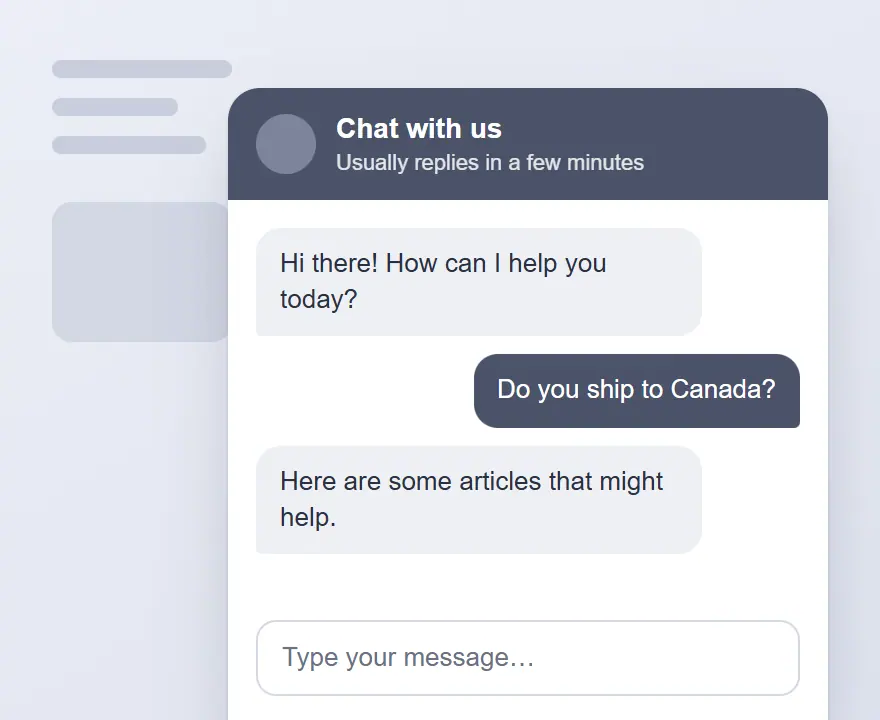
- "Hi! How can I help you today?"
- "Side sleeper? Ask me whether this one's too firm."
The second one tells the visitor what the bot knows and gives them a reason to try it. Write a different opener for each important page. Show it where people tend to hesitate, such as pricing, delivery or a complicated product.
Chatbot vs Possible, job by job
The real difference is who has to start, and what they have to do next.
| Website chatbot | Possible | |
|---|---|---|
| Who starts | Usually the visitor, though some send a message first | Possible, after a short pause on the page |
| What the visitor does | Types a question or picks from a menu | Taps multiple-choice answers |
| Best job | Answering questions you can predict | Helping an undecided visitor work out what fits |
| Setup | Connect your content, or build the paths, then paste some code | Enter your address, review what it writes, then paste one line of code |
| How it ends | An answer, a support ticket or a person, and on some tools a sale | A button to your own product, booking page or cart |
| Who it misses | People who never open it | People who came with a specific support question |
The line between them isn't perfectly clean. ChatBot.com says it notices when shoppers hesitate, steps in and can recommend products. If you want support and selling in a single tool, that kind of chatbot is a sensible place to start. People weighing up an OptinMonster alternative, which means a different popup tool, face a similar choice from the other side, because popups interrupt people and most chatbots wait to be asked.
Where Possible fits
Possible is ours, so read this with that in mind. It's an AI built on sales psychology that reads your website and writes short multiple-choice questions. It steps forward when someone stalls over a decision. Then it uses their answers to explain what matters to them and point them to the right option. It keeps those answers in the visitor's own browser, so it doesn't ask twice. You can read more about our AI sales assistant for online stores and our AI sales assistant for clinics and local services.
Now the reasons to skip it. It won't take a booking or a payment, because each result sends people to a page on your site. Our site lists no order tracking, support tickets or hand-off to a person, so it won't clear a support inbox. Languages are limited too: the editor is in English, and Spanish is still to come. If support is your main problem, buy a chatbot.
It's free to start with a Google account and no card, for one website and one Possible, with our branding on it. Pro is $20 a month and includes A/B testing, which shows some visitors the tool and some not. It starts with a 30-day free trial, and we ask for a card for that.
Which chatbot, and what you're paying for
These prices are from each company's own page on 4 November 2026. They change often, so check before you buy.
| Tool | Good first fit | Free way in | Paid from | What the bill counts |
|---|---|---|---|---|
| Tidio | A small shop wanting live chat and AI together | Free plan with 50 conversations you answer, plus 50 AI conversations once | $24.17 a month billed yearly. AI add-on from $32.50 | Conversations a person answers, AI conversations, visitors reached by its automatic messages |
| ChatBot.com | Shopify stores wanting AI to answer and sell | 14-day trial | $19 per user a month billed yearly, with 10 AI resolutions a month. Growth is $79, with 200 | Users and AI resolutions (chats the AI settles alone) |
| Intercom | A support team that needs an inbox and tickets | 14-day trial | $19 per user a month billed yearly for new customers, plus its Fin AI | Users, and $0.99 each time Fin settles a question |
| Chatbase | An AI helper trained on your content, which can also take actions | 7-day trial | $40 a month for 700 message credits, with 20% off yearly | Message credits |
| HubSpot | Sorting real buyers and booking meetings into its customer database | Free builder, no card | Premium editions add more | Depends on the HubSpot plan |
| tawk.to | Live chat you answer yourself | Free for life with its branding | AI Assist from $29 a month, with a free plan for few chats. Hired agents $1 an hour | Add-ons you choose |
Look hard at that last column. Those units aren't the same thing, so comparing the headline prices tells you very little.
Here's how to compare them properly. Count the chats and support emails you got last month. Then work out each tool's cost at that number. Intercom's own estimator shows how this works: 120 conversations, with 91 settled by Fin, comes to $109.09 a month for one user. On ChatBot.com's cheapest plan, 10 AI resolutions could run out in a day or two on a busy store.
Be careful with how many chats you expect the AI to settle. Tidio quotes 75% on average among its customers and guarantees 50% on its top plan. Budget near the lower number and treat anything above it as a bonus.
A few extras are easy to miss. Removing the branding costs $16.67 a month on Tidio's Growth plan (its Free and Starter plans don't offer that), $99 a month on Chatbase and $29 a month on tawk.to.
If you already pay for one of these and it isn't earning its keep, the right Tidio alternative, Intercom alternative or Chatbase alternative depends on which job you need done. Price comes second.
How to test one without fooling yourself
You can do this with any tool on this page.
- Pick one job and one page. Your top support question, on the page where it comes up, is a good start.
- Write a specific opener. Say what it can help with, in words your customers use.
- Try to break it. Ask your ten hardest questions. Then ask for a discount you don't offer and a promise you can't keep. Check what it says when it doesn't know, and how fast a person can take over.
- Read every conversation for two weeks. They'll tell you what your website fails to say. Fix the page as well as the bot.
- Count sales across all your visitors. People who open a chat may have been closer to buying already, so their numbers make the tool look better than it is.
That last one matters when you read sales numbers. ChatBot.com's sales report counts orders linked to a conversation during the chat or up to 30 days after. That's handy for seeing what the bot touched. It can't show you who would have bought anyway. For a proper answer, show the tool to some visitors and hide it from a similar group. Possible's Pro plan has this built in. For other tools, ask whether they offer it, or compare similar weeks with the tool on and off. It's rough, but better than taking a dashboard's word for it.
Should you build your own?
Probably not, unless someone on your team enjoys this sort of thing. Free templates and how-to guides exist, from tools such as n8n and Lovable, and they can work well. They also leave you looking after the thing when it gives a wrong answer on a Sunday.
First check what you already pay for. More customer service tools and customer databases now include their own chatbots. Your current help desk may already have what you were about to buy.
Questions about website chatbots
What is a website chatbot?
It's software on your site that talks with visitors in a chat window. Rule-based bots follow paths you write. AI bots read your content and write their own replies. Most can pass a conversation to a person.
What is the best AI chatbot for a website?
It depends on the job. For a small shop wanting chat and AI together, look at Tidio. For a support team with tickets, look at Intercom. For Shopify stores that want the bot to sell, look at ChatBot.com. Work out the price at your own monthly number of chats before you decide.
Is there a free chatbot for my website?
Yes, with limits. HubSpot's builder is free and follows paths you set up. Tidio's free plan includes 50 AI conversations once, which is enough to try it but not to run on. tawk.to's chat is free, and its AI has a free plan for sites with few chats. Past that, someone on your team answers unless you pay for its AI or hired agents.
How do I add a chat bot to my website?
Usually you connect your content, set up the bot and paste some code into your site. ChatBot.com also connects directly to Shopify and WordPress. Test it on your phone before you call it done, because it can easily cover your buy button.
Do website chatbots increase sales?
They can, when shoppers have questions that stop them from buying and the bot answers those well. Most of the big numbers come from the companies selling these tools, so test on your own site. Compare all visitors, including the ones who never opened it.
Will a chatbot annoy my customers?
It might, if it's vague, slow or stands between them and a person. Keep the opener specific and make the route to a person obvious. Let people ignore it if they want to.
Is Possible a chatbot?
Not in the usual sense. A chatbot mostly waits for a typed question. Possible asks a question first, and the visitor taps an answer. You can run both if you have both problems, as long as they don't sit on top of each other on a phone screen.